Meet Blask
A heads-up display for digital painting in Adobe Photoshop. Adjust opacity, flow, or color right under your cursor without leaving the canvas.
System requirements
Windows 10/11 (x64 only)
Adobe Photoshop 2024+
Created with artists in mind
Made for digital artists
Blask is a standalone tool for artists who paint in Adobe Photoshop. It runs alongside Photoshop, extending its UI with pop-up palettes for quick brush adjustments.
Fewer clicks, less reaching
Changing color or opacity no longer means reaching for the edges of the screen or digging through menus. Blask brings key parameters right under your cursor.
Customizable shortcuts
Bind every palette and action to the keys that fit your hand. Tailor Blask to your own workflow so the tools you reach for most are always a single keystroke away.
Built for speed
Outrunning Photoshop’s native interface. Blask delivers instant canvas response with absolutely zero lag, keeping you locked in your creative flow.
Demo
Features
Get to know all the Blask palettes
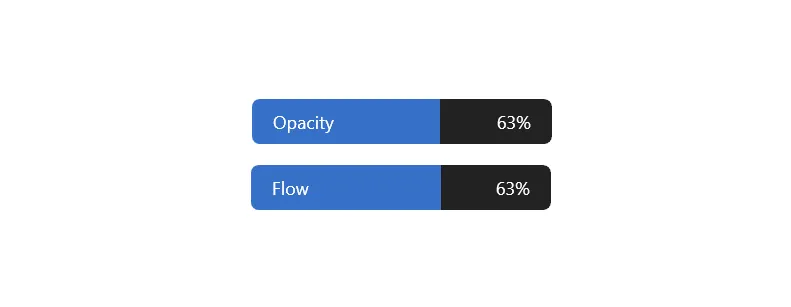
Flow and opacity sliders
Adjust opacity and flow of your brush, eraser, or a current layer. Simply drag left or right to adjust the value and release to accept it.
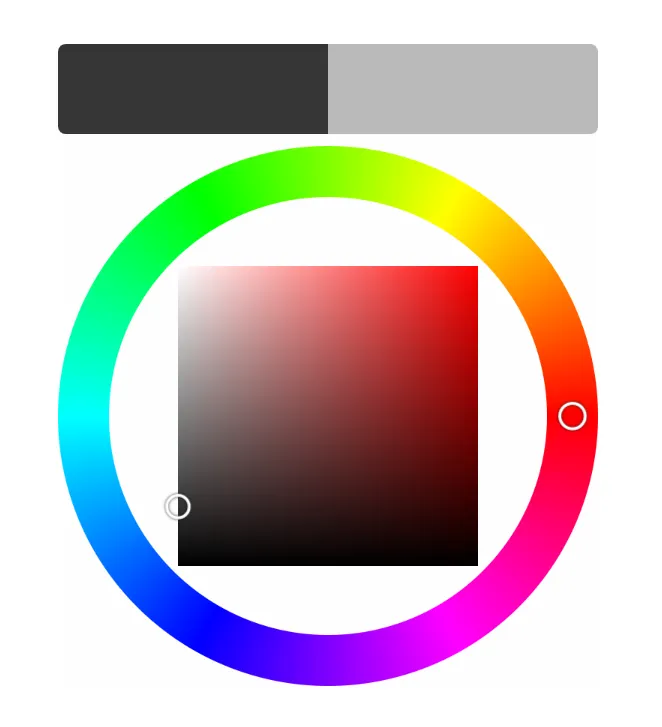
Color wheel
Choose color by using saturation/brightess square and hue wheel. Compare your new color with the previous one using swatches above the wheel.
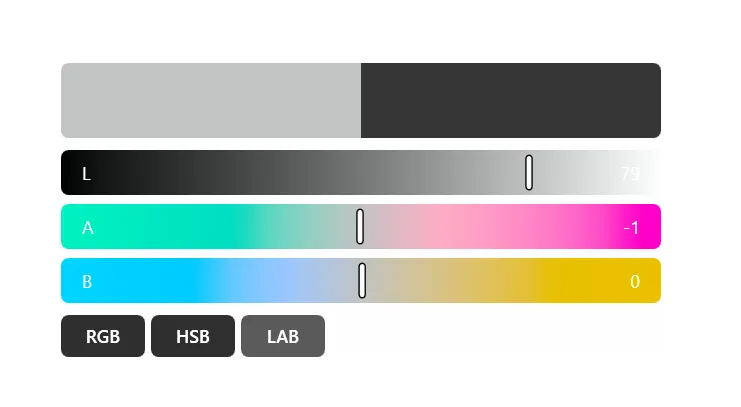
Multi-mode color sliders
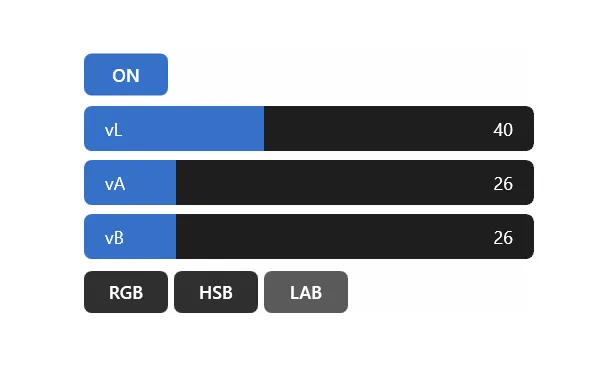
Adjust tones with color sliders. Every artist has their own favourite colour space so you can switch between RGB, HSB and LAB modes.
Color variation controls
Randomize color of every stroke using internal color variation system using different color spaces. You can also assign a keyboard shortcut to toggle color variation on and off.
Pricing & licensing
A single $7 payment. No subscriptions, no recurring fees. Your license is perpetual.
Blask Trial
Test it out for a week
- Fully featured Blask version
- 7-day free trial
Blask
A single perpetual license, with a one-time payment.
- Pay $7 once. No subscriptions!
- Perpetual license. Never expires
- One key activates up to 2 computers
- Move a seat to another computer anytime
Get in Touch
Leave a feature request or just say hi!
Frequently asked questions
The short version of everything you might want to know.
Which version of Adobe Photoshop does Blask work with?
Blask works with Photoshop 2024 and later.
Who is Blask for?
Blask was built for artists who use Photoshop for drawing, painting, and concept art but find its classic UI clunky to work with.
Is Mac OS version planned?
Yes. It's under active development.
Does Blask support other painting software like Clip Studio Paint or Krita?
Unfortunately, no. Blask communicates through Photoshop's API, and that approach isn't possible in other software.